Construction photos in WhatsApp vs shared repository
WhatsApp resolves the immediate notice very well. A shared repository solves another need: that a photo still has context, location, author, status and access rules when the conversation is behind us. This guide explains how to use both without duplicating work or losing evidence.
1. When WhatsApp is a useful tool on site
A chat reduces friction: it is now available on the phone, allows you to send a photo and a note in seconds, and makes a problem visible to people who are not physically in the area. For immediate coordination it may be more effective than a flow that is too heavy.
It works especially well for:
Report an urgent condition and ask someone to check it.
Confirm that a person has arrived at an area or that a task can begin.
Coordinate a visit, a delivery or a short-term action.
Share a first image to decide if it is necessary to open a formal incident.
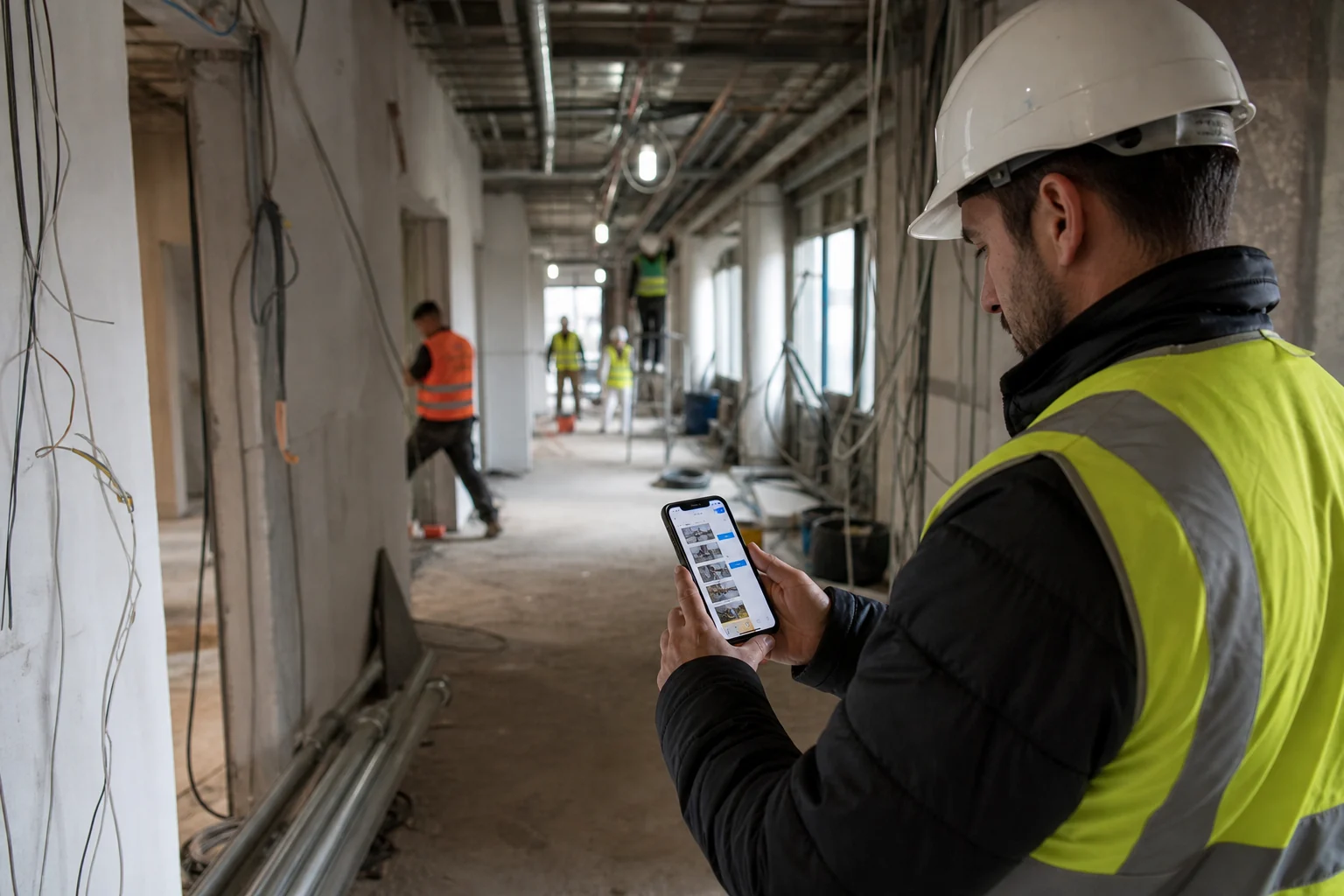
Editorial photography generated by AI. Chat brings the image closer to your computer quickly, but technical context shouldn't depend solely on remembering the conversation.
The question is not whether WhatsApp is safe or popular. The question is whether the project has defined where its official record lives, who maintains it, and how it is retrieved.
2. A submitted photo is not yet a project record
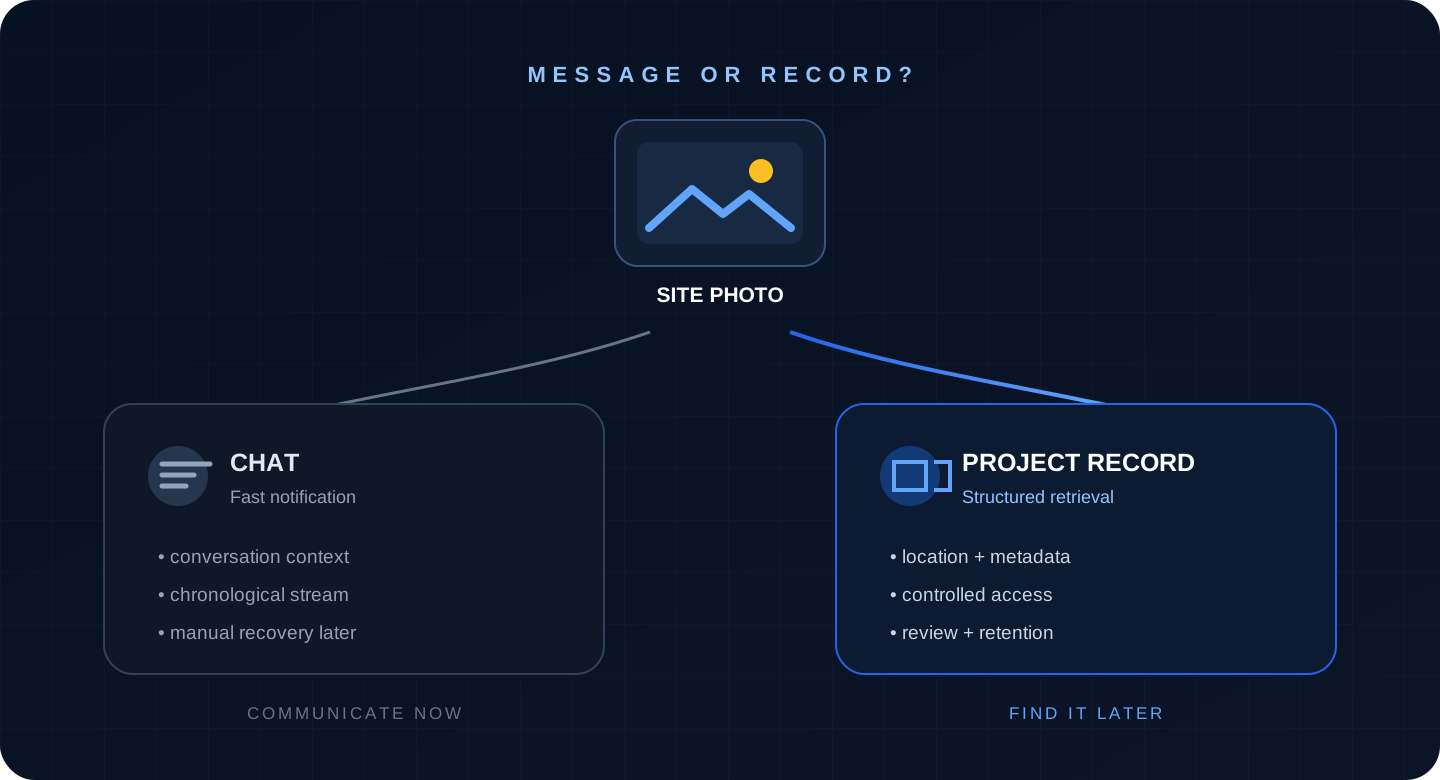
The same image can do two different jobs. As a message, its value is in reaching the right people quickly. As a record, it must retain meaning outside of the conversation: project, zone, date, author, subject, status, relationship to a decision, and preservation rules.
The communication channel prioritizes the present; The technical file prioritizes that the information can be interpreted and recovered later.
The norm ISO 19650-1 places recording, versioning, organization and availability within a lifecycle information management framework. It does not force each small work to buy a complex platform, but it does help to understand why a chronological succession of messages does not equal a common data environment.
3. Where a chat-only flow loses value
Recovery depends on memory
To find an image weeks later you have to remember the group, the period, the sender or a word from the conversation. If multiple versions were resubmitted, it may not be clear which one reflects the current situation.
Temporal order does not replace spatial order
A work is consulted by building, floor, room, axis, façade, unit or front. In a chat, photographs from different areas appear mixed depending on the time of sending.
The conversation may contain context that is missing from the file
When you download or forward an image, the comment explaining what was seen, why it was important, and what was decided may be separated. The photo still exists, but it no longer tells the same story.
Conservation control depends on users and settings
WhatsApp offers legitimate features to manage privacy and space. Meta explains, for example, that the content of single display disappears after opening and that in 2026 it added options for delete multimedia files while preserving the chat. These are useful controls for messaging, but they show why the project should not assume that everything sent automatically constitutes a durable file.
Continuity cannot depend on a personal phone
If someone changes work, device or company, the project needs its documentation to remain available in accordance with the defined permits and deadlines, without depending on requesting captures or exports from a person.
4. What a shared repository should provide to be really useful
It is not enough to move all the images to a folder called “Photos”. An operational visual archive needs a structure proportionate to the size and risk of the work.
Identification: project, date, author and a stable identifier.
Spatial context: floor, area, room, axis, point on the plane or visible reference.
Technical context: related system, item, incident, inspection or milestone.
Status: observed, pending, corrected, accepted for intended use or closed.
Recovery: search and filters that don't depend on remembering the exact file name.
Access: appropriate permissions to view, add, review or download.
Conservation: defined term, copy, export and responsible party.
Public photographic archive guides go in that direction. Caltrans treats photographic records as part of the file, recommends organizing them and proposes categories before, during and after construction. The National Archives of the United States They highlight formats, quality, transfer documentation, naming conventions and photographer attribution.
As a more detailed contractual example, the Clemson University photo requirements They ask for a project, guidance on a key plan, date, author and unique identifier, as well as clear images and overlapping routes.
5. Practical comparison: chat, folder and contextual repository
Criterion
Chat
Shared folder
Contextual repository
Immediate notice
Very effective.
Not very visible if no one receives notice.
Effective if it incorporates notifications or is combined with chat.
Post recovery
It depends on the thread and memory.
Improved with stable folders and names.
Filters by area, date, author, status and content.
Location on site
Normally written in the message.
It depends on the folder hierarchy.
It can be related to a plane, zone or proven coordinate.
Status of an incident
Distributed between answers.
Requires convention or parallel registration.
You can keep observation, responsible, deadline and closure.
Access and continuity
Linked to group members and devices.
Manageable permissions if the cloud is properly configured.
Roles, history and export defined by the project.
Scale
Good for few messages and short term.
Adequate with documentary discipline.
Better when projects, users and queries grow.
A well-governed folder may be enough. The difference is not “expensive software vs. WhatsApp,” but structured information vs. information that only retains meaning within a conversation.
6. A hybrid flow that doesn't require you to duplicate everything
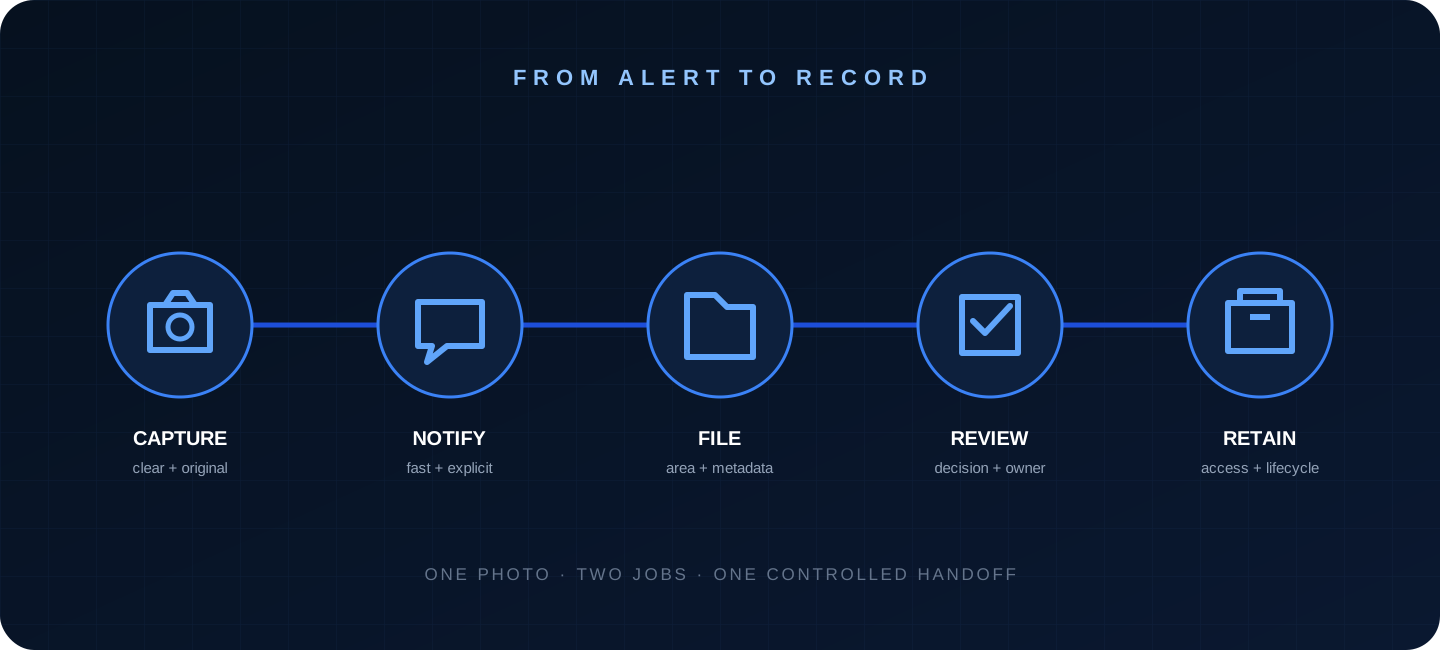
The most realistic transition keeps the chat to coordinate and establishes a controlled handover for images that need to be converted to record.
Capturing, reporting, archiving, reviewing and preserving are different steps. The key is to define who makes the transfer and when.
Capture: take the original photo with sufficient context, quality and security.
Notice: If it requires immediate attention, send it to the agreed channel with an explicit phrase: area, observation and requested action.
File: Incorporate images with future value into the repository, preferably from the original and not from a screenshot.
Review: Link the image to a decision, person responsible, deadline or document when appropriate.
Conservation: applies permits, deadlines and export in accordance with the contract and project rules.
A simple transfer rule
Any photo that answers “yes” to one of these questions should be archived: Could it justify work? Does it document something that will be hidden? Does it explain an incident or correction? Will it be needed in an inspection, measurement, maintenance or complaint? Has it caused a decision?
7. How to go from chat to repository without paralyzing the team
Start with a specific problem
Don't try to digitize all exchanges at once. Choose a case with clear value: hidden jobs, weekly monitoring, incidents or photographs prior to the start.
Defines the mandatory minimum
Project, area, date, author, description and status are usually a good starting point. Add fields only when they answer a real query.
Assign responsibility
“Have someone upload it” is not a procedure. Decide whether the person taking the photo, the person in charge at the front or a document control person will file, and set a reasonable deadline.
Make a pilot and measure recovery
Pilot the workflow on one floor or with one team for two weeks. Then ask someone else to find a specific image without the photographer's help. The time taken and interpretation errors reveal whether the structure works.
Close the circuit
When a chat photo is archived, it can be responded to with the record link or ID. Thus the immediate conversation leads to a common source instead of competing with it.
8. How Pic on Site can fit
Pic on Site is designed so that photographs of work can be situated and consulted within a project context, instead of living only in galleries and conversations.
1. Gather project images
Centralize photos taken by different people without depending on their phones or groups.
2. Place them on the plane
When photos contain valid GPS, Pic on Site can help place them. Indoors or in doubtful coordinates, the position must be verified and supported by the plan and area.
3. Recover by time and content
Filters and search narrow the set before a technical review.
4. Prepare the conversation
Select the relevant images and accompany them with area, date, description, reference and action.
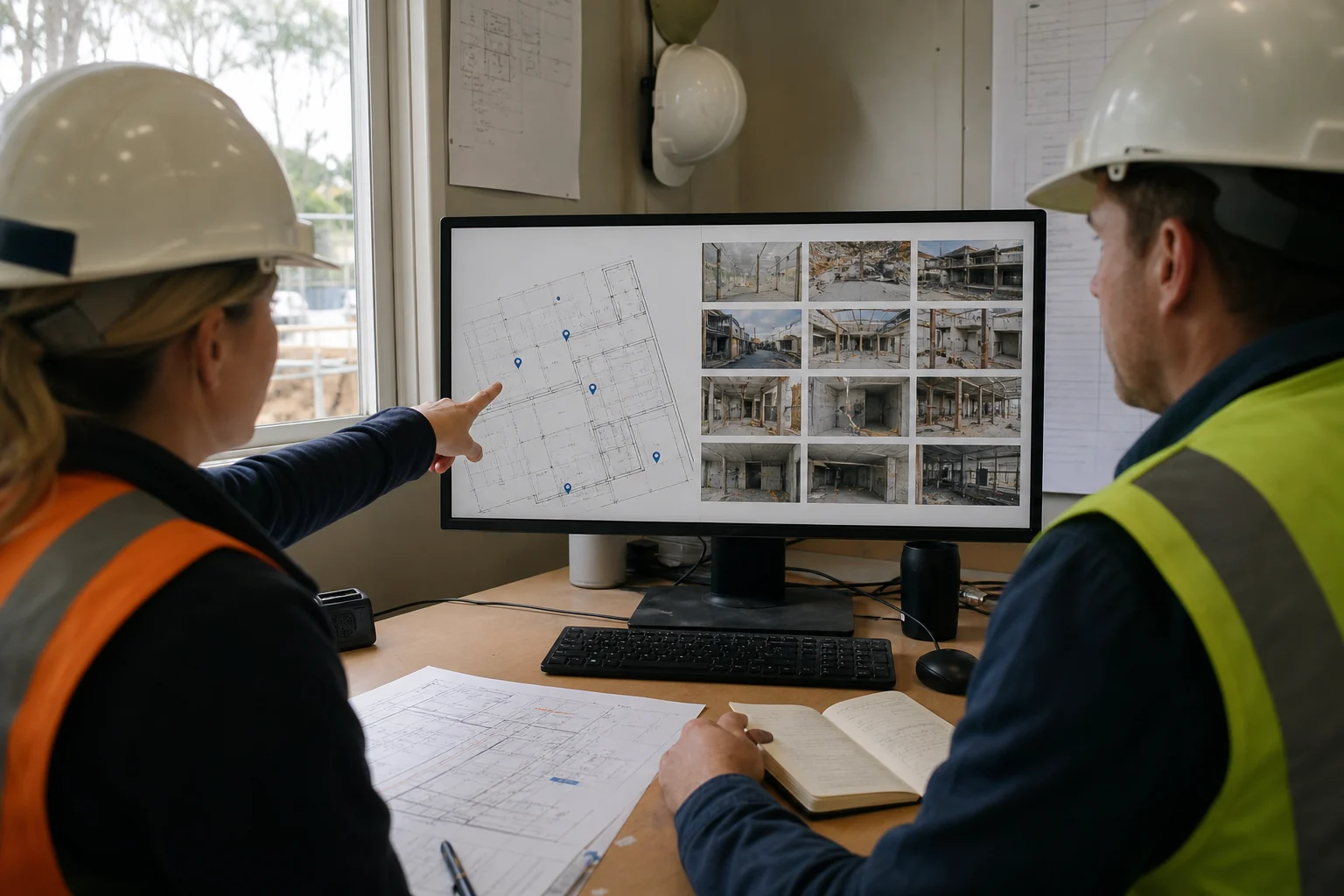
Editorial photography generated by AI. The value of the repository appears by jointly recovering plan, location and visual sequence to make a decision.
Product limit: Pic on Site organizes and helps recover visual evidence. It does not replace a complete contractual manager, it does not approve work, it does not certify compliance and it does not automatically convert a photograph into conclusive evidence.
9. Privacy, security and access control
Construction photos may show identifiable people, screens, license plates, plans, access controls, sensitive installations or security conditions. Just because an image is easy to share doesn't mean it should circulate without purpose and permissions.
The European Commission summarizes the GDPR principles: legality, transparency, specific purpose, minimization, accuracy, limited conservation and security. Defines who can view, download and share images, for how long and for what purpose.
There may also be sensitive technical information. The 2026 Canadian Guide to construction project documentation recommends limiting access to authorized people with a need to know and manage the information in accordance with the project's security requirements.
Avoid faces and data unrelated to the technical purpose.
Do not post sensitive plans or installations in open groups.
Review members and administrators when the team changes.
Separates the working copy from the conservation required by contract.
Documents export, return, or deletion when closing the project.
10. What professionals say in construction forums
The forums do not replace a standard or prove that a method works for all works, but they help identify everyday frictions.
In a thread from 2024 by r/ConstructionManagers on photo organization, one person explained that images from 17 similar projects ended up mixed in the reel and sought to organize them by project and date. Responses ranged from manual folders to location-based applications and construction management systems.
Another thread from 2023 described the difficulty of search between WhatsApp, mail and other platforms. One of the responses proposed a hierarchy of folders by date and area; another highlighted the leap involved in linking photos and tasks directly to the plan.
The anecdotal pattern coincides with the documentary need: taking photos is usually not the biggest problem. The bottleneck appears when you have to relate them to the project, place, task and decision, and find them without depending on who made them.
11. Frequently asked questions
Is it wrong to use WhatsApp to send construction photos?
No. It is a valid tool to notify and coordinate. It is simply not advisable to confuse the communication channel with the official file.
What photos should go to the repository?
Those that document progress, hidden work, incidents, corrections, inspections, deliveries, prior conditions or decisions with possible future value.
Is a shared folder enough?
It may be enough in a simple project if there is a stable convention, those responsible, permissions and review. A folder without rules can end up as messy as a chat.
Should we also copy the entire conversation?
Not necessarily. Preserves the information that gives technical meaning to the photo: observation, area, author, date, status, decision and reference. If the contract requires storing communications, apply that procedure separately.
Does a repository make the photograph conclusive evidence?
No. It improves its context and traceability, but the image is still limited to the frame and the moment; it does not replace testing, inspections, certificates or contractual acceptance.