Shared construction photo repository: turning scattered images into a common record
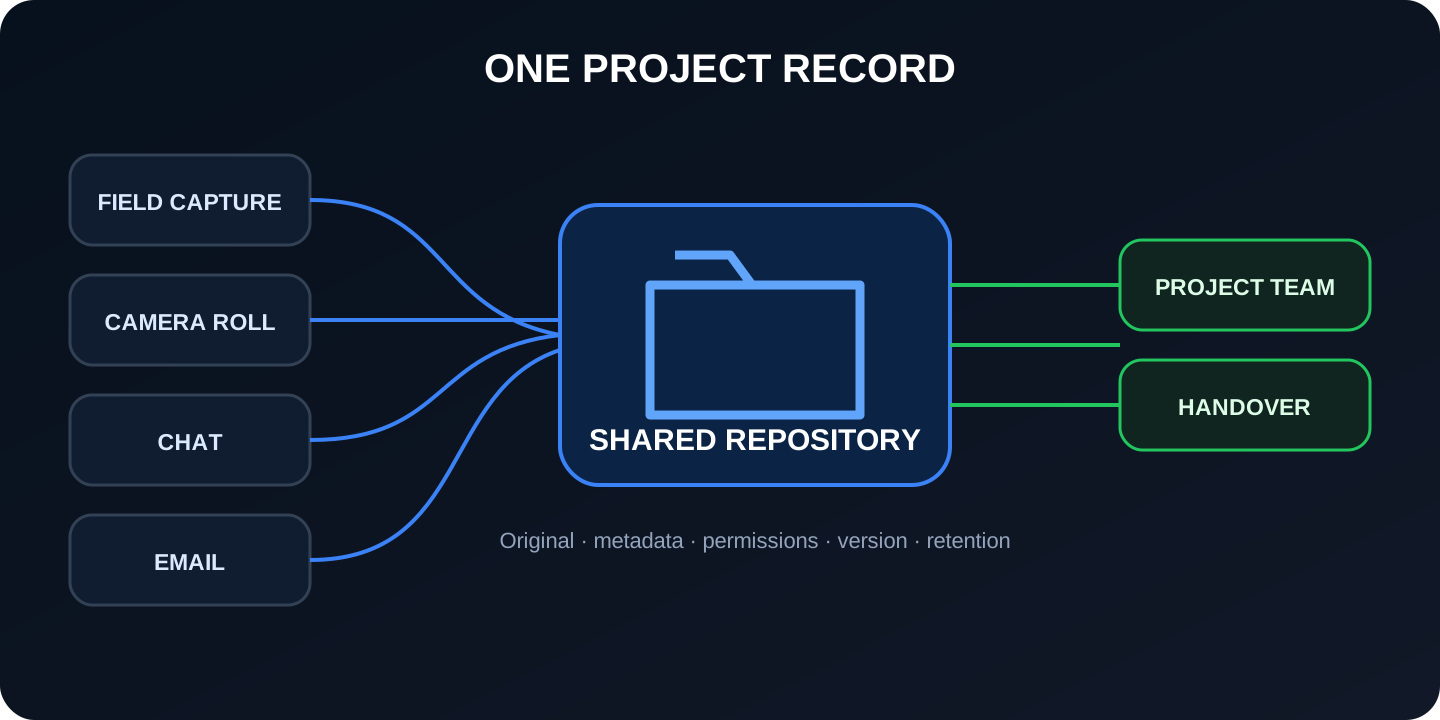
Centralizing does not mean uploading all photographs to the same folder. A useful repository preserves the original, relates each image to project, place and time, controls who can modify it, and allows someone else to retrieve it for a decision, inspection or delivery.
1. What a construction photo repository is—and is not
It is a common and governed space where the team incorporates, describes, consults and preserves photographs of the project. “Common” means that the registration does not depend on a single person's mobile phone, account or memory. “Governed” means that there are visible rules about structure, states, permissions, quality, corrections, preservation, and delivery.
A cloud folder can fulfill this function in a small construction site. A specific platform can provide plan, map, search, metadata and control. The technology matters less than the result: finding the right image, distinguishing the original, knowing where and when it was taken, understanding what it shows, and knowing if it is pending, reviewed, or closed.
It is not, by itself, a construction diary, incident manager, contractual system, quality control or As-Built model. It can provide evidence to those processes if the relationship is defined.
2. Signs that the team needs a common source
The photographs are distributed among chats, emails, personal reels, memories and various clouds.
He repeatedly wonders who took a picture or where he was.
A member who leaves the work takes with him part of the visual memory.
There are photos, but no comparable trailer sequence.
Images of concealed work are not linked to a floor or system.
Management, contractor, subcontractors and BIM handle different selections.
3. The minimum requirements of a useful repository
The channels can continue to exist. Images with future value converge in a controlled source of the project.
Original and provenance
Keep the capture image when it has technical value. Register author, date and channel of incorporation; distinguishes compressed or annotated copies.
Spatial context
Project, building, level, area, room, axis or orientation. Use GPS when valid and safe; check it indoors.
Technical context
Factual description, system, item, activity, inspection, incident, document or related control point.
Recovery
Filters and search by criteria that the team actually uses, with access to the original and associated information.
Control
Permissions, relevant change history, statuses, copies, export and rules to correct without erasing traceability.
Portability
Ability to deliver images and metadata in an understandable structure, not just through an expiring account.
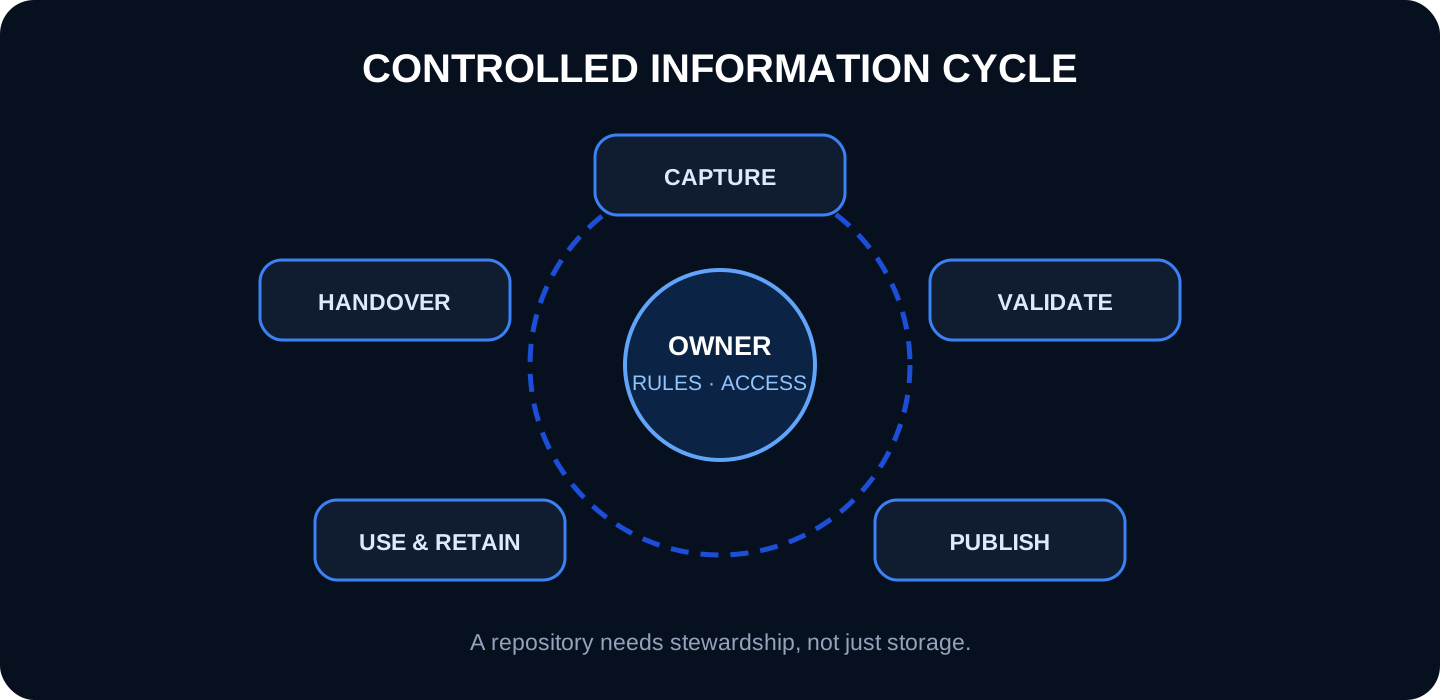
4. Workflow: capture, upload, validate, use and close out
Capture: the photographer takes a safe and contextual sequence, preferably with general, medium and detail views.
Incorporation: the original enters the project within the agreed deadline; If the chat served to warn, not only the copy of the chat is archived.
Validation: project, area, date, author and description are checked. Questionable data is marked as unverified.
Publication: The image is available for authorized functions and, when applicable, related to a plan, activity, incident or inspection.
Usage: whoever reviews compares the photo with the program, scope, other dates and documents. Records the decision outside or inside the system according to the procedure.
Closure: status, conservation and subsequent verification are established; When the work is finished, what was agreed upon is exported or delivered.
A common mistake is asking field staff for too much data during capture. It automates date and author, reuses project and area, offers short vocabularies and allows you to complete the context later without losing the original.
5. How it relates to a common data environment (CDE)
ISO 19650 describes information management principles throughout the asset life cycle. The guide of UK BIM Common Data Environment Flow Framework emphasizes that the CDE is an agreed information management flow, not simply a technological solution.
The photo repository can be within the CDE, connected to it, or cover a separate scope. Document the authorized source of plans, incidents, approvals and photographs; how identifiers are linked; what state an image has; and what is exported. Prevents the same file from appearing approved on one platform and preliminary on another.
The British guide to the “golden thread”, applicable to certain buildings in England, requires digital, secure, available, usable and deliverable information, with version control. Although its legal scope is not universal, it helps evaluate whether the system is useful during the life of the asset.
6. Roles, permissions and responsibilities
Function
Responsibility
Avoid
Capture
Original, visual context, security and punctual loading
Unverified interpretations
Coordination
Structure, vocabulary, zones and coverage
Duplicate categories
Technical review
Contrast and relate to decision or action
Conclude just for a photo
Administration
Users, permissions, copies, export and cancellations
Generic Shared Accounts
Information Owner
Rules, quality, changes, conservation and delivery
Implied liability
Least privilege applies: each person accesses what is necessary for their function. Prevents deleting or altering the original from being as easy as commenting. Review access when a company enters or leaves and maintains evidence of changes when the contract or risk requires it.
7. Governance and life cycle: the work that storage does not solve
Without an owner and rules, even a powerful platform ends up accumulating data that no one knows how to interpret or deliver.
Establish a brief protocol: scope, roles, convention, states, quality control, permissions, information issues, copy, preservation and output. Schedule coverage and recovery reviews, not just volume.
The American National Archives highlights unique identification, descriptive legends, technical metadata, finding aids and quality control when transferring photographic records. For a work, the practical lesson is that the delivery needs both images and documentation that allows them to be identified and used.
Sensitive people and details require finality, minimization, deadlines and security. Applies contractual rules and corresponding regulations; in the EU, consult the data protection principles of the European Commission.
8. Implementation without disrupting site work
Choose a case with visible return
Start with installations before closing, incidents, weekly monitoring or photographs prior to the start. Avoid migrating the entire history before demonstrating the flow.
Defines the minimum registration
Project, date, author, area, description and status are usually enough for the pilot. Add system, plan, person in charge or conservation when they respond to a real query.
Pilot in an area and form with examples
Work with one floor or team for two weeks. Show photographs with good and poor context; visual conventions are easier to learn from real cases than from a long manual.
Measure results
Load time, percentage with valid zone, duplicates, hotspot coverage, recovery time and linked decisions are more useful metrics than the raw number of images.
Formalizes the closure of the previous channel
Defines from what date the repository is the common source and what content should be migrated from chat or mail. Reply in the immediate channel with the record link or identifier when possible.
9. Shared folder or specialized repository
Need
Folder may be enough
Repository provides value
Volume and team
Few photos, few people
Many authors, areas and visits
Location
Folder and name are enough
Plan, map, room or axis are key
Search
Date and name resolve
Filters, metadata and content reduce time
Flow
File without complex states
Review, incident, closure and permits
Delivery
Documented folder tree
Exporting images and related metadata
The simplest tool that serves the purpose is usually the best. It changes when the cost of not finding, interpreting or controlling the images exceeds the cost of implementing the repository.
Pic on Site is oriented to georeferenced visual registration: it gathers photographs of the project, uses their capture data when they exist, allows them to be related spatially and helps to recover them by time and content.
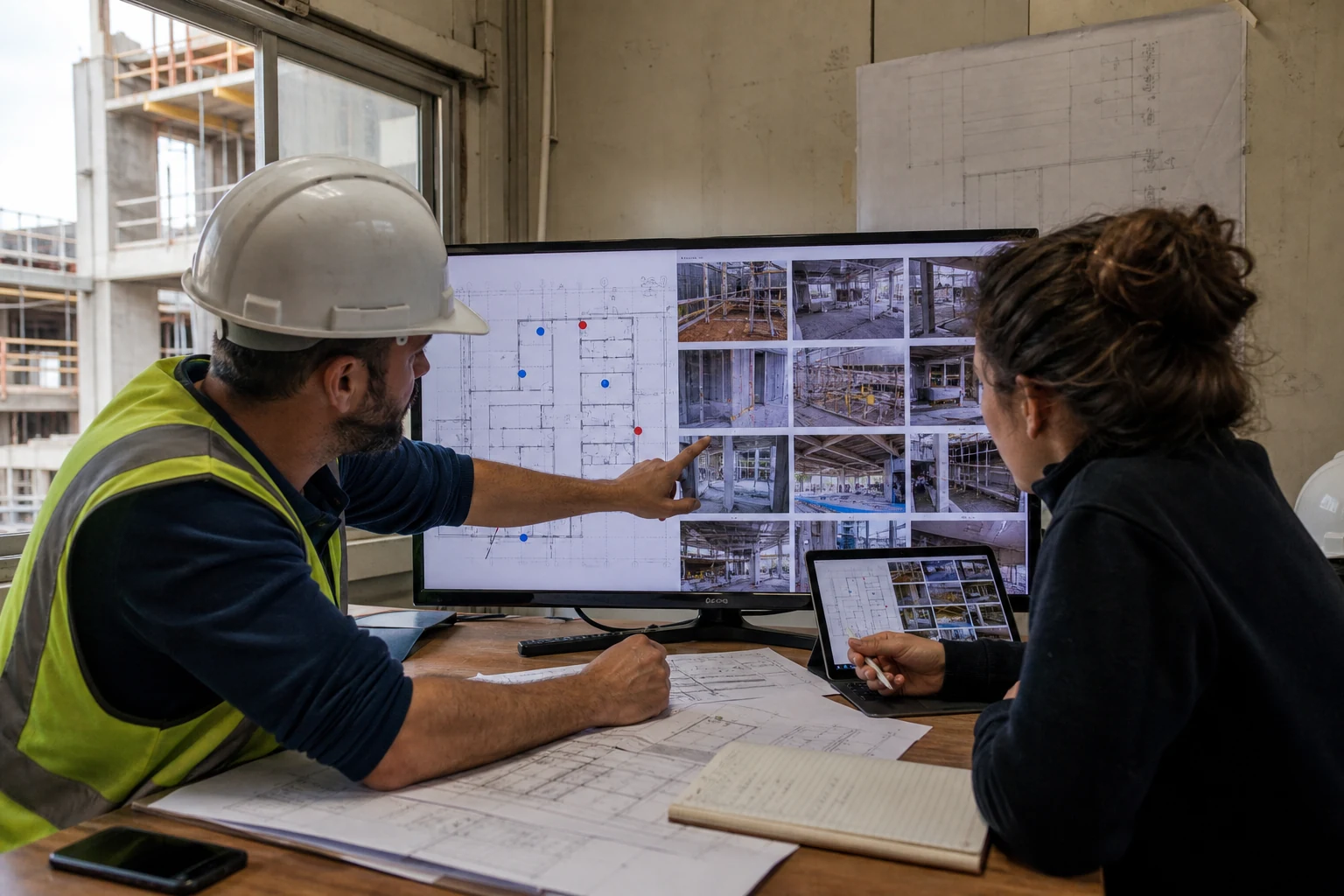
Editorial photography generated by AI. The value appears when the field and office consult the same visual sequence and contrast it with the plan.
1. Gather originals from several people
Reduce dependence on individual devices and channels.
2. Check location
The valid GPS may help; indoors, use plan, floor plan and area and check manually.
3. Recall a selection
Filter by period, author, area and content before reviewing.
4. Bring the selection to the process
Accompany the photos with observation, reference, responsible person and action in the corresponding system.
Product limit: Pic on Site does not replace a complete contractual CDE, does not approve works, does not diagnose building defects, does not measure quantities and does not by itself guarantee evidentiary preservation or regulatory compliance.
11. Frequently asked questions
Is a shared folder already a repository?
It can be if you have rules, responsibility, sufficient metadata, permissions, copies and delivery. Without government it is just storage.
Who validates the information?
It depends on the project: it can be the capturer, a front-line manager or documentary control. Responsibility must be explicit and feasible.
Do I have to archive all chat photos?
No. Archive those that document progress, hidden work, incidents, inspections, preconditions, decisions or any contractual requirements.
Does the repository replace inspections and certificates?
No. Photography shows a perspective and a moment. It must be verified by competent tests, measurements, documentation and review.