How to organize construction photos so you can find and understand them later
A photographic collection does not become useful by having many images or by being in the cloud. It becomes useful when another person can locate the correct photograph, check where it came from, and understand what it shows without relying on the memory of the person who took it.
1. Start with the questions the archive needs to answer
Before designing portfolios, think about what real queries will appear in and after the work. “See all photos” is not a useful query. Yes, they are: “How was this wall before closing the breach?”, “What armor was there at this encounter?”, “When did this humidity appear?” or “what was executed between two visits?”
The necessary data comes from each question. To compare progress you need a date and a repeatable point of view. To locate a hidden installation you need a floor plan, room, wall or axis, system and a dimensional reference. For an incident you need general view, context, detail, observation, person responsible and status. Don't impose twenty fields on all photos: define the common minimum and add requirements depending on the use case.
Principle: Each piece of information you request must be used to search, interpret, decide, demonstrate or preserve. If no one knows what it is used for, it probably won't fill well.
2. The organization begins before you press the shutter
No file name fixes an image that is out of focus or without context. Prepare a capture route and take sequences: a general view that locates the area, a medium view that shows the relationship with recognizable elements and a focused detail of the condition. Repeat important points of view and photograph before a job is hidden.
Check device date and time, activate location only when appropriate and secure, and avoid editing the original only. Indoors, the GPS coordinate may be imprecise or non-existent; records floor, room, axis or plane reference. The guide of Caltrans on project records recommends keeping photographic files organized and separated, at least, before, during and after construction.
Editorial photography generated by AI. Assembling the originals is just the beginning: the shot, sequence, and purpose of the capture provide context that the reel doesn't preserve on its own.
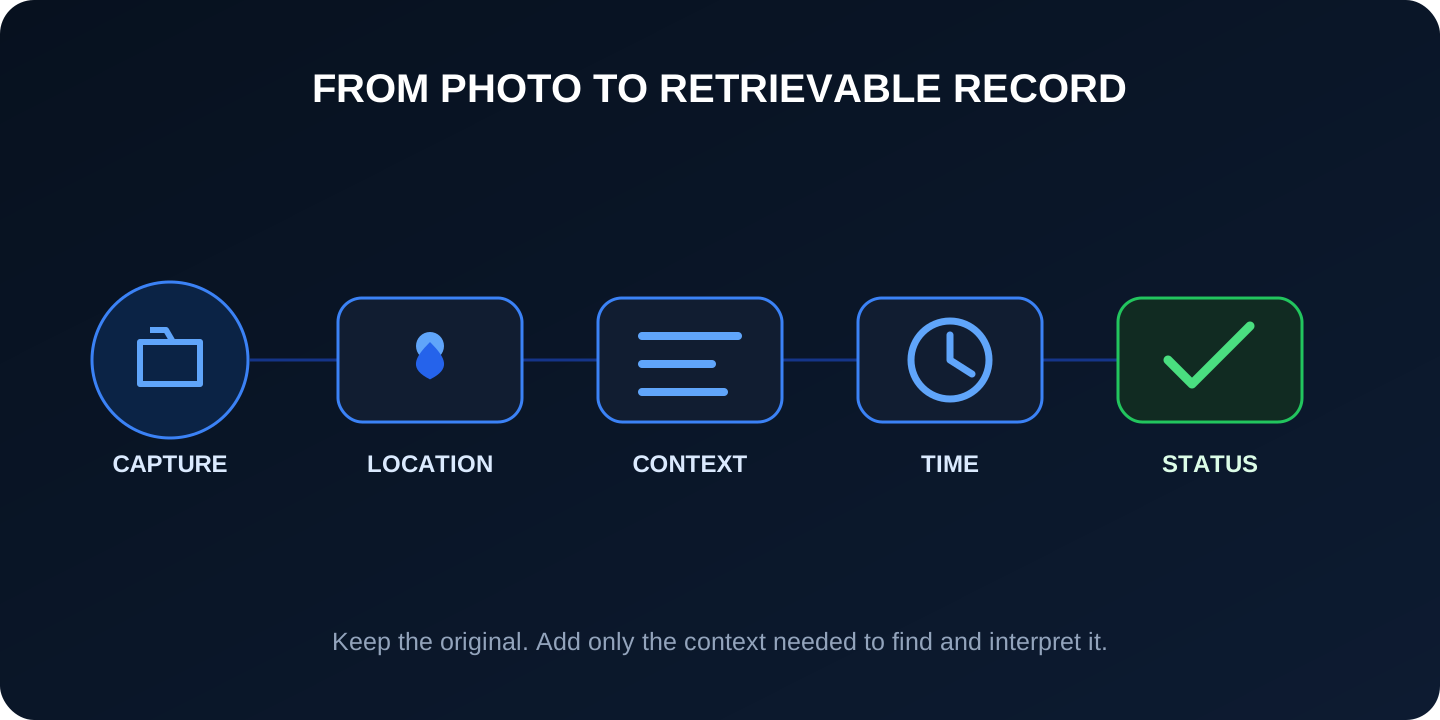
3. A simple model: project, place, time, system and state
A hierarchy of folders only allows you to go one way. A photo, however, may belong to floor 2, electrical installations, pre-closing inspection and an open incident at the same time. That's why it works best to combine a stable structure with fields or labels.
The model does not intend to add bureaucracy: it preserves the axes that allow the image to be recovered and interpreted.
Criterion
Examples
Question that solves
Project
Code, contract or asset
What work does it belong to?
Place
Building, floor, area, room, axis
Where was it taken?
Time
Capture, visit or milestone date
When did that condition exist?
System
Structure, electricity, air conditioning, finish
What element or item does it show?
State
Previous, in progress, reviewed, issue, closed
What does it mean within the flow?
4. Folders and names: short, stable and documented
A reasonable structure for a file system might be project / zone / visit-date. Inside, the name can include a sequential identifier and two or three pieces of information that survive outside the system: PROY-Z03-20260814-ELEC-0042.jpg. Avoid long phrases, problematic characters, ambiguous personal names, and categories that change depending on who is filing.
The NARA Digital Photographic Records Guide asks to identify each photograph uniquely and document the naming convention. It also recommends retaining descriptive information—who, what, when, where, and why—and available EXIF data. The name doesn't need to contain everything if that information lives in reliably linked, exportable metadata.
Use already known codes in plans and planning.
Choose a sortable date format, for example YYYYMMDD.
Don't overwrite an identifier when a description changes.
Document abbreviations and examples on one accessible page.
Don't just use “final”, “final2” or the automatic camera name.
5. Minimum metadata so that the photo makes sense
Metadata is information associated with the image. Some of it can come from the device—date, camera model, dimensions, and sometimes coordinates—and some must be added by the team. Don't rely on GPS alone: it may be missing, inaccurate, expose sensitive information, or point to a different location if the photo was forwarded.
Identity and origin
Identifier, project, author or organization, device or channel of origin and date of incorporation.
Location
Building, level, area, room, axis, orientation, plan reference and verified coordinates when they exist.
Content
Factual description, system or item, visible elements and relationship with activity, inspection or incident.
Flow
Status, person responsible, review date, documentary reference, permits and conservation period.
Don't turn an interpretation into a fact. “Visible crack next to the hole, approximately 30 cm” is better than “structural failure.” The diagnosis corresponds to the competent technical review and may require measurements, tests or additional information.
6. Keep originals and distinguish versions
A cropped photo, compressed by messenger or marked with arrows can be useful for communication, but should not replace the original. NARA recommends transferring first generation JPEG and avoiding successive saves that degrade the image. Keep the original file unchanged and create identified derivatives for annotations, reports, mail, or publishing.
Control duplicates by identifier, size and fingerprint when the tool allows it. If two people photograph the same thing, they are not necessarily duplicates: another angle or instant can provide evidence. If the same image arrives via chat, mail, and download, keep a single master copy and record, when imported, its provenance.
Clear chain: capture original → working copy → annotated version → selection or deliverable. There should never be a question about which one retains the source data.
7. Evaluate the system with a retrieval test
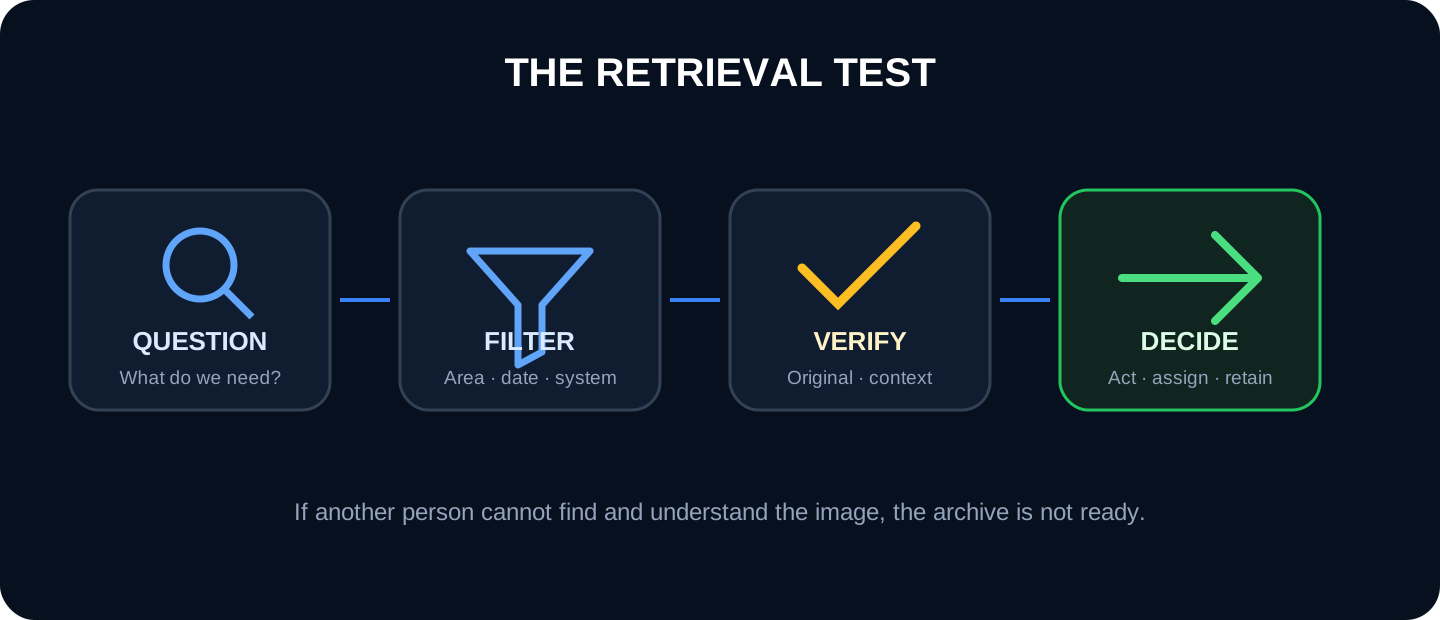
Organization is validated by using the file, not by looking at whether the folders look ordered. Each month you select five real queries and ask a person who did not take the photos to find the correct image, explain what it shows, and locate the original. Measure time, false results and interpretation doubts.
The search reduces the set; Verification of the original and its context precedes any technical decision.
Try different searches: by area and date range; by system before closing; by author; by open incidence; by description; and by a plan reference. If the result depends on remembering who took the photo or what group it was sent in, there is no robust shared record yet.
8. How to migrate photos that are already mixed
Freeze a copy: Bring together mobile, chat, disk, and cloud exports without deleting sources during migration.
Separate by project: uses dates, participants, locations and content; Mark the doubtful as “to be verified.”
Deduplicate carefully: Eliminate identical copies, not similar shots that could provide another angle.
Prioritize: It begins with hidden work, incidents, inspections, deliveries and periods with contractual or operational risk.
Add context: Interview the photographer while you still remember the area; do not invent missing data.
Close the old channel: defines from what date the new system is the common source and how exceptions are incorporated.
It is not necessary to describe thousands of images with no clear value in the same detail. Conservation must be proportionate to the use, the contract, the risk and the applicable legal requirements.
9. Access, privacy, retention and handover
Define who can view, upload, edit metadata, download, share and delete. Distinguish correctable errors from evidence whose history must be preserved. Review access when the team changes and establish backups, exports and an owner for closeout.
Images with identifiable people may be personal data. The GDPR principles summarized by the European Commission They include finality, minimization, accuracy, limited retention, and security. Avoid capturing faces, screens, license plates or sensitive installations when they do not provide technical value.
For higher risk buildings in England, the official guide to the “golden thread” requires that information be digital, secure, available, usable and a single source of truth, with version control and delivery in a usable format. It's not a universal requirement, but it sums up useful qualities for any serious technical file.
10. How to organize photos with Pic on Site
Pic on Site can bring together photos from multiple people within a project and help query them by time, content, and position. When an image contains valid GPS, it can be automatically positioned; indoors or in case of doubtful coordinates, the team must verify the location and rely on the plane.
1. Create the project and agree on the spatial reference
Define plans, areas and common criteria before incorporating large volumes.
2. Upload originals and check their position
Avoid basing the file on screenshots or compressed copies when the original exists.
3. Filter and search for a specific query
Narrow down by date, area, person or content and check each result before using it.
4. Prepare a contextualized selection
Accompany the images with the question, reference, observation and next action.
Product limit: Pic on Site helps organize, locate and retrieve visual evidence. It does not certify work, it does not diagnose defects, it does not replace inspections or tests and it does not convert the photos into a complete contractual file on its own.
11. Implementation checklist
We have defined what questions the file should answer.
There is a common source and a person responsible.
The originals are not overwritten.
Project, date, author, zone, content and status can be retrieved.
Coordinates are verified when they influence a decision.
The annotated versions are distinguished from the original.
There are rules for access, conservation, copying and delivery.
Another person has passed the recovery test.
12. Frequently asked questions
Is it better to sort by date or by area?
Keep both. The date is reliable for sequences; the area responds better to queries about a place. System and state allow needs to cross.
Do all images have to be renamed?
Not if the repository assigns stable identifiers and exports the metadata. In conventional folders, a short name improves portability.
What do I do if I don't know where a photo was taken?
Mark it as an unverified location and look for context in adjacent images, EXIF, date, author or plans. Don't assign a zone by intuition.
Does visual search replace tags?
No. It may reduce related results, but it should be verified. Objective data such as project, area, date and status remain essential.
13. Sources and references
US National Archives. Digital Photographic Records: identifiers, legends, EXIF, originals and transfer documentation.