Construction Photo Tracking That Supports Review, Not Just Storage
Useful visual tracking repeats control points, covers areas with no visible activity, links every image to a date and scope, and ends with a check or decision. Photos show what is visible; the programme, measurements and inspections complete the analysis.
1. What problem does it solve?
Many works generate thousands of images and still cannot respond quickly: how was this area on Friday? Was it documented before the closure? When did the incident appear? What was corrected? The problem is not the camera; it is the lack of planned coverage, context, comparison and follow-up.
A photographic control converts periodic captures into a retrievable record, but does not replace a construction log, planning, measurements, quality controls or written instructions.
2. Design coverage and cadence
Divide the project into stable zones—building, floor, axis, room, front—and define points of view that another person can repeat. Add milestones by activity: previous state, start, intermediate work, before hiding, finished, rehearsal and correction.
Capture type
Frequency
Ask
General checkpoint
Daily or weekly depending on rhythm
What visible change is there?
Critical activity
Before, during and after
Was the necessary status documented?
hidden work
before closing
Can it be reviewed later?
Incidence
Finding, repair and closure
What happened and what was decided?
No activity zone
According to review court
Is the absence of change documented?
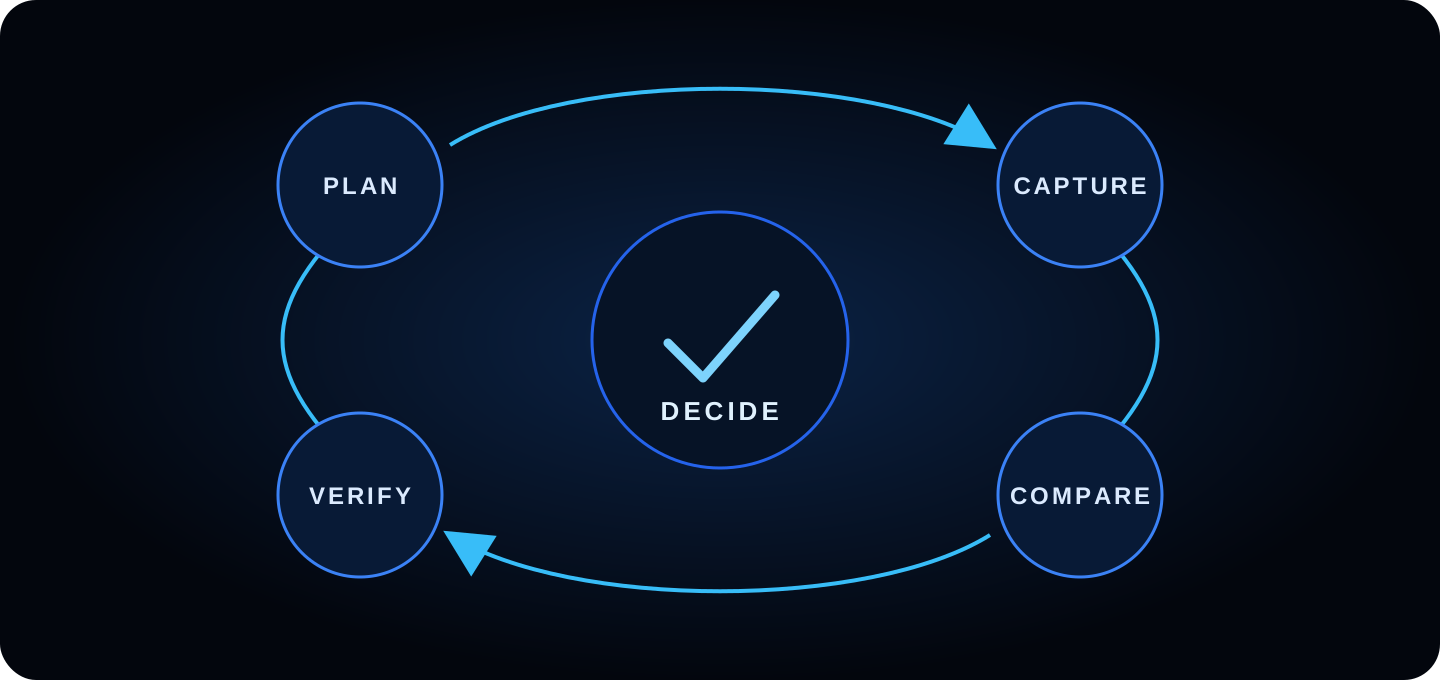
3. A complete control loop
A photo acquires operational value when it feeds a verification and leaves a decision or next verification.
Plan: area, question, reference, person responsible and date.
Capture: overview, context and detail without compromising security.
Compare: same frame, period, scope and version.
Verify: program, plan, measurement, inspection or test.
Decide: close, correct, lighten, scale or rephotograph.
4. Capture comparably
Repeat position, height, orientation and field of view when safe.
Maintain permanent references within the frame.
Separates an overview of the technical details.
Also photograph entrances, stockpiles, stopped fronts and works that will be hidden.
Record date, author, area and a factual description.
Classifies what is observed as executed, in progress, without visible change, unobservable or requires verification. “It does not appear in the photo” does not mean “it does not exist”; It can be left out of the frame, hidden or done between visits.
Before talking about delay, check the program status date, correct activity, scope, approved changes, restrictions and non-visible work. Before talking about a defect, distinguish observation from diagnosis and follow the quality procedure.
Ruler: photographic comparison identifies questions and visible changes; It does not automatically calculate physical progress, term or amount.
6. Connect with the journal and incidents
Caltrans recommends progress photographs, existing conditions, hidden work and corrections, and that problem resolution be documented in the log. Consult your official guide construction photographs and videos.
Link each selection to part, activity, inspection, RFI, nonconformity, or decision. If you detect a condition, record the person responsible, priority, deadline and next check. The closing photo must be comparable and not obscure the condition.
7. Step-by-step weekly review
Filter the period and gather the previous reference for each point.
Check coverage: areas visited, omitted and not accessible.
Marks visible undiagnosed changes.
Contrast milestones and activities with the current program.
Separates progress, quality, security, changes and hidden jobs.
Open checks with person responsible and date.
Prepare a short selection for the meeting.
Record decisions and schedule the next capture.
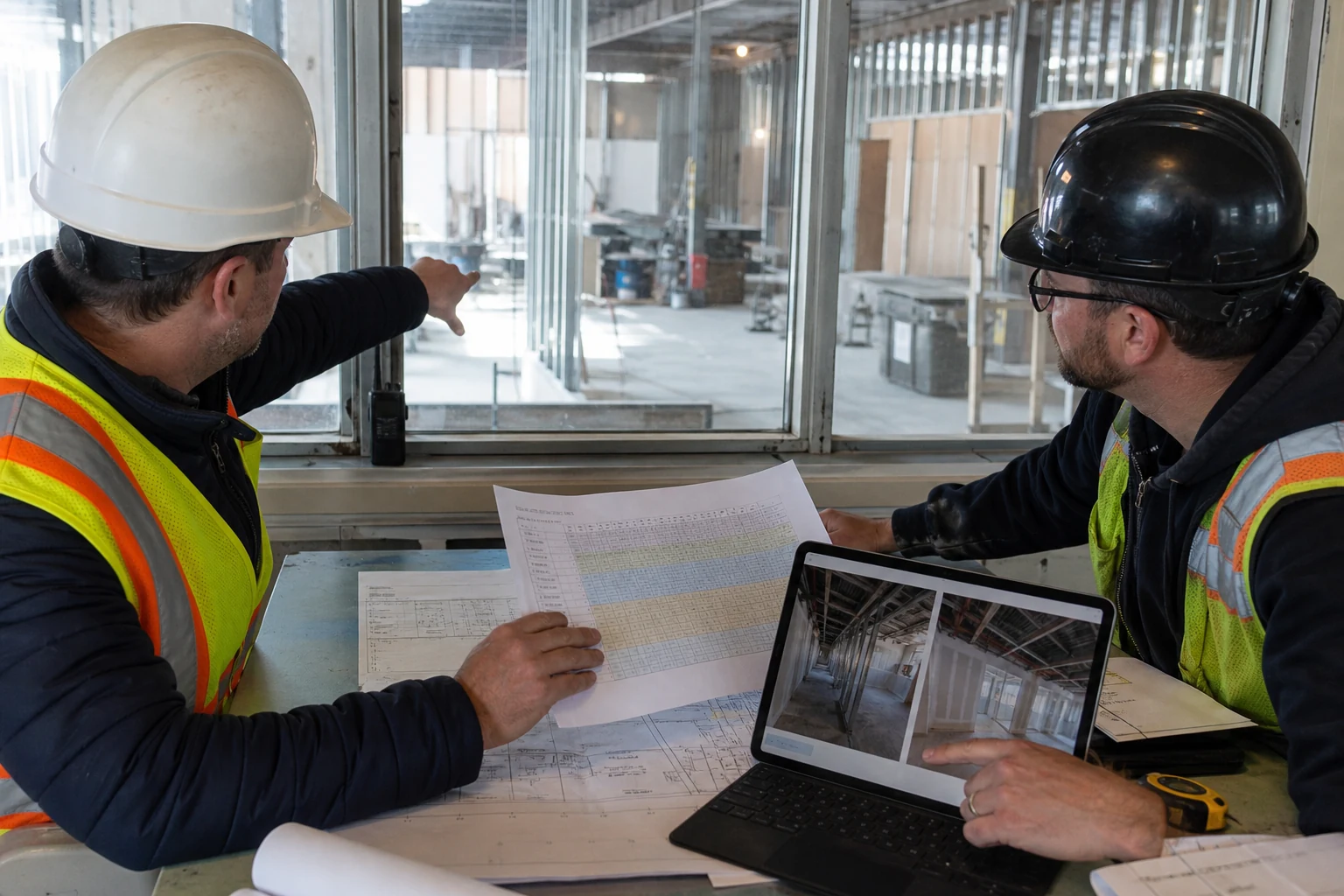
Editorial photography generated by AI. The images are reviewed along with the rest of the project information.
8. How Pic on Site can help
Gather the registry
Centralize team images instead of relying on personal chats and folders.
Review by area and date
Photos with valid GPS can be placed on a georeferenced map or plan and filtered by period.
Retrieve candidates
Visual search helps narrow down the set; one person confirms correspondence and scope.
Prepare the conversation
Select relevant evidence for a check, meeting or incident.
Product limit: Pic on Site does not measure the percentage executed, does not update the program, does not diagnose defects, does not certify games and does not replace a visit or professional judgment.
9. Indicators that do help
Coverage of planned points, not total number of photos.
Points omitted or not accessible per period.
Time to recover a specific area and date.
Findings with comparable responsible party, deadline and closure.
Hidden jobs captured before closure.
Meeting decisions with linked evidence.
Avoid classifying the number of images taken as “productivity”: it can encourage noise and omit difficult areas.
10. Frequently asked questions
Should you always photograph from the same point?
It is ideal for comparison, as long as it is safe and the point remains representative. Document any position changes.
Should areas without activity be photographed?
Yes when the question is the state at the cut. The absence of visible change may also be relevant, without itself proving the cause.
Are photos used for certification?
They can support the observation; Measurement, assessment and acceptance require specific documents and method.
Can AI detect progress?
It can help find or rank candidates, but the results must be reviewed and are not equivalent to a contractual measurement.